Shrewd LMS 3.7.8 introduces two new features that improve visibility into learner performance and simplify user licence management.
The new Student Gradebook provides a clear overview of learners’ scores across activities, while auto-archiving students helps course owners automatically manage active users slot by archiving learners after course completion.
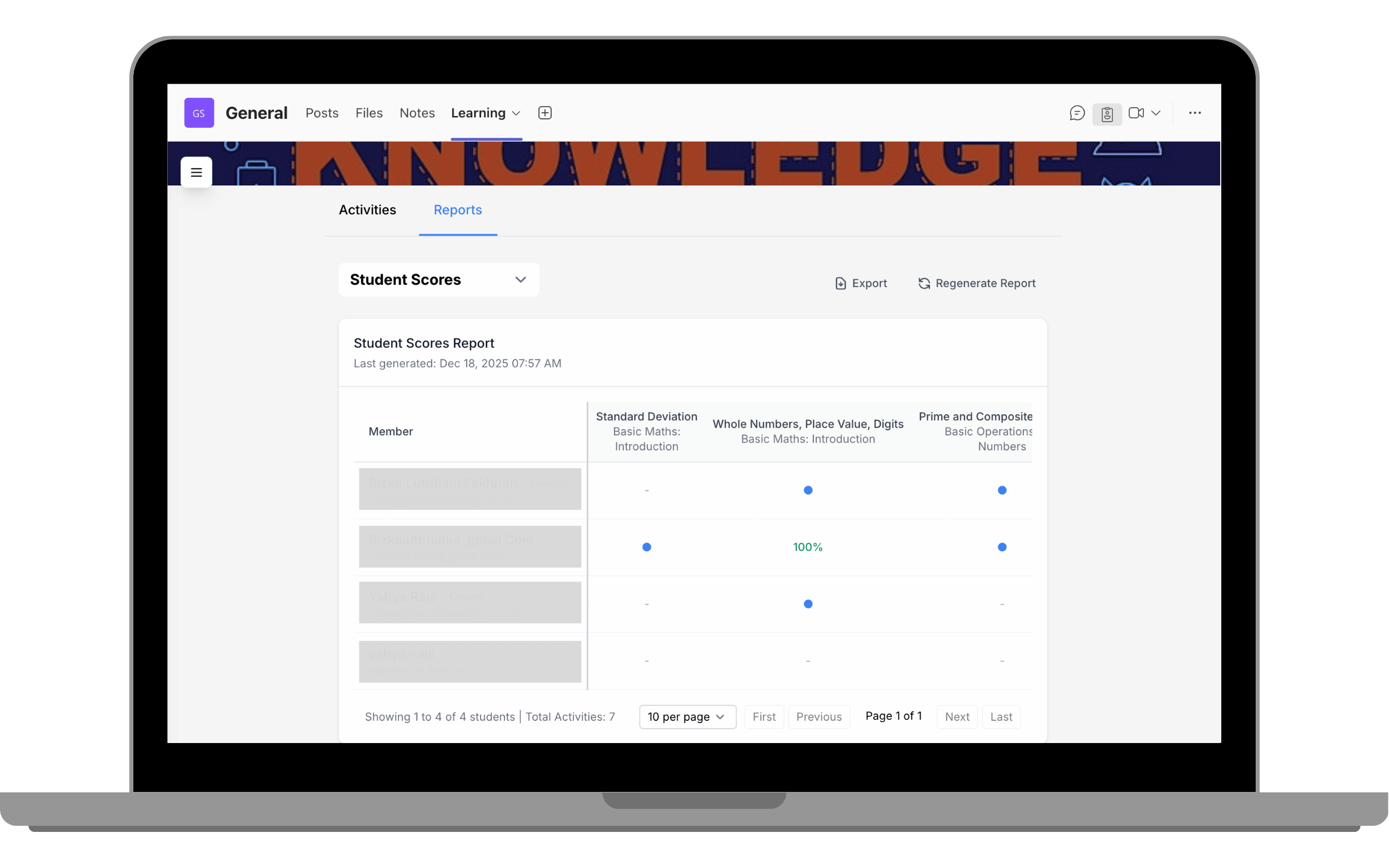
Student Gradebook is a new reporting feature that allows course owners to view and track learners’ scores across individual activities. It displays a table where learner names appear in rows and activities are displayed as columns, showing each learner’s progress per activity. Activities that generate scores display a score, while activities without scores are marked with a blue dot to indicate completion.
To access the Student Gradebook, go to the Reports tab and select Student Scores from the report type dropdown.
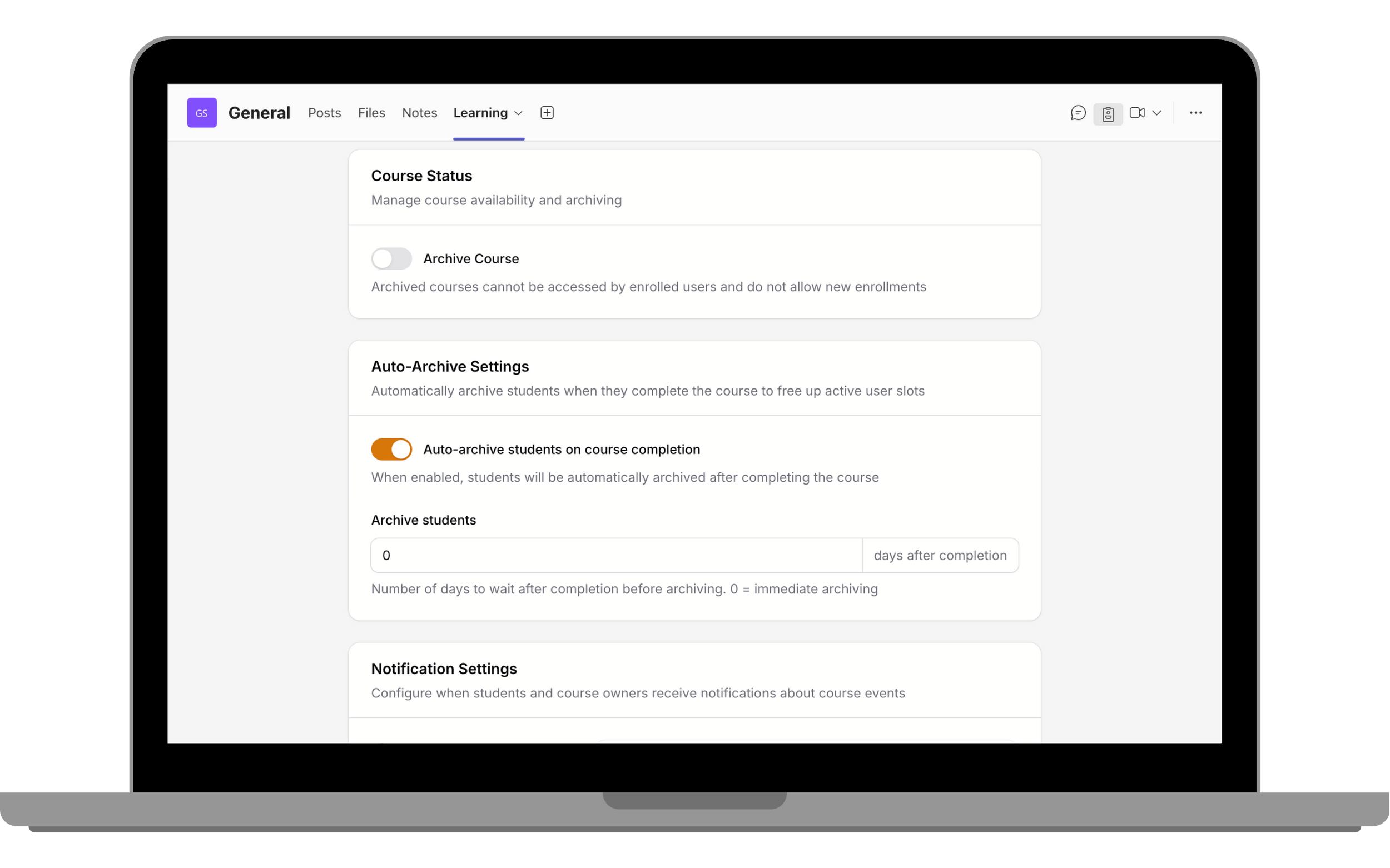
Automatic Student Archiving helps course owners manage active users and licence usage more efficiently by automatically archiving students based on their enrolment status and course activity.
With this feature enabled, students who have completed a course can be automatically moved to an archived state. Archived students no longer count toward active user limits, while their learning records and progress remain stored for reporting and reference.
This automation reduces the need for manual user management, ensures licence usage stays optimised, and keeps active courses limited to currently engaged learners.
You can find this feature in the course settings under Auto-Archive Settings, where Owners can define how many days after course completion students are automatically archived.